DLP for AI
DLP for Claude, Copilot & ChatGPT
Employees paste customer lists, CPR numbers and contracts into AI chat tools every day. DLP for AI sits in front of those conversations and stops sensitive data before it reaches the model, with the same policies that already protect your email, OneDrive, SharePoint and Teams.
Per chat turn
<0.1s
from prompt to verdict, before the model sees a word
- ClassifyDecide what the data actually is.
- Verify (this page)Verified by a human before anything happens.
- DeleteBlock, strip, relabel or remove.
Claude, Copilot & ChatGPT
How it works
One gateway, every AI
Three steps between a prompt and the model, and your policy decides the middle one.
One gateway for all AI
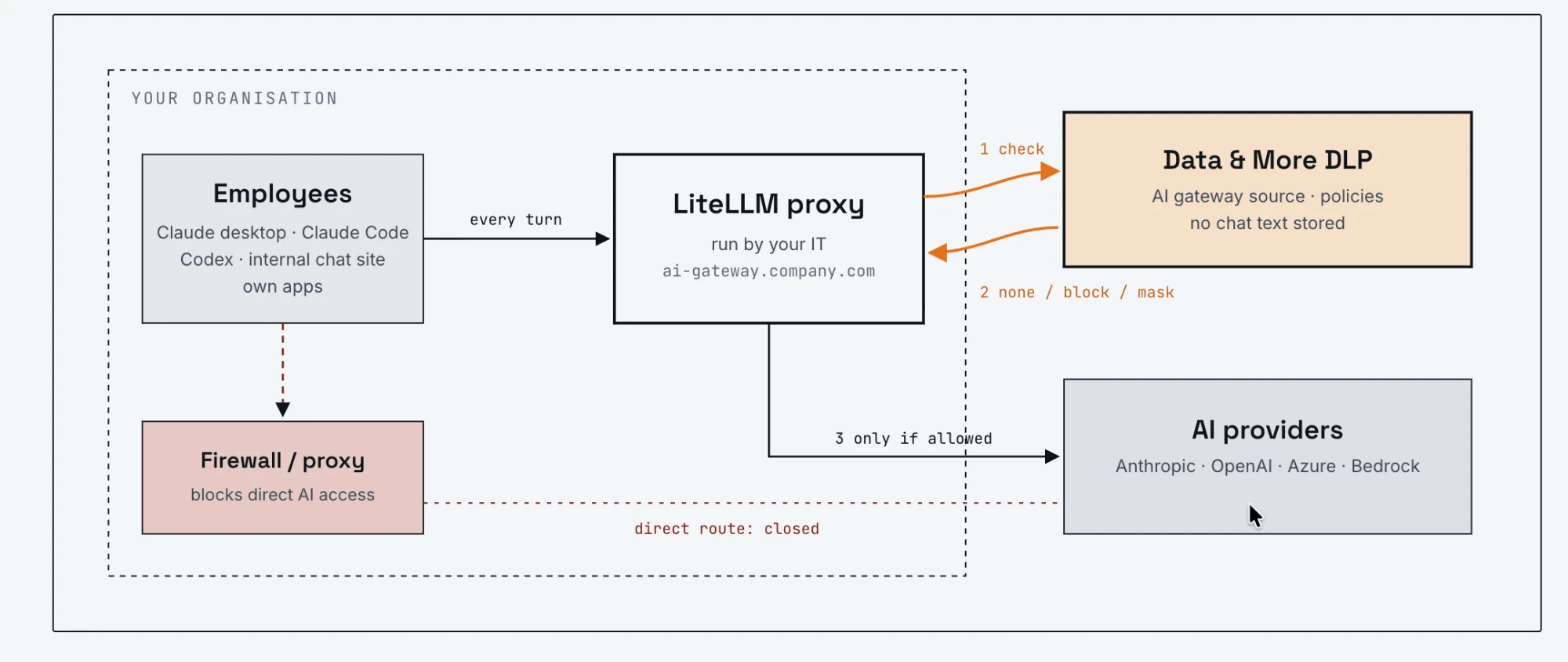
Your company runs LiteLLM, the open-source AI gateway, as the single entry point to ChatGPT and OpenAI, Claude, Azure OpenAI and Bedrock. Claude desktop, Claude Code, Codex, your internal chat site and your own apps all connect through it, and the firewall closes the direct route.
Every chat turn is checked
Before the gateway forwards a prompt to the model, it asks Data & More DLP. Optionally it also checks the model's answer before the user sees it. A check typically takes well under a tenth of a second, so nobody notices it is there.
Your policy decides
The text is classified with your existing document classes and the matching policy is applied: the same definition of sensitive that already governs your mailboxes and file shares, now standing in front of your AI.
Claude, Copilot & ChatGPT
The actions
Four answers, not one
Log
Record it quietly
The event is recorded with who, when, which model and which type of data, and the chat continues. This is where every rollout starts.
Alert
Tell the person
The chat continues and the user is emailed about what was found, so the next prompt is written more carefully. Awareness without interruption.
Mask
Strip the values
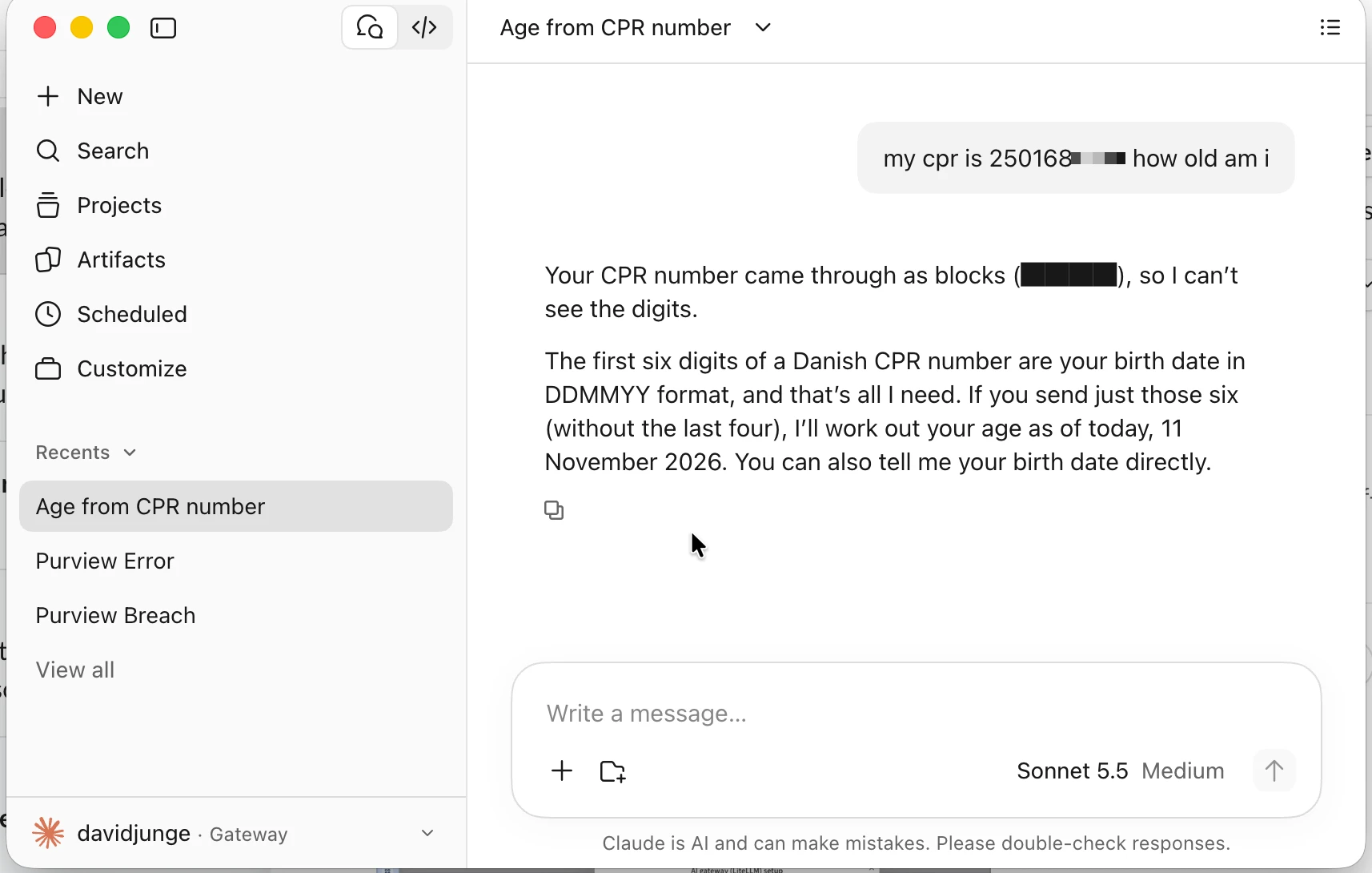
CPR numbers and other sensitive values are replaced with masked blocks before the model sees them. The question still gets answered; the data never leaves.
Block
Stop the message
The message is stopped and the user is told why, in the moment, rather than in an audit weeks later.
Claude, Copilot & ChatGPT
Why it matters
Why customers choose it
One policy
Microsoft 365 and AI, one rulebook
The classes and policies that watch your mail and files are the ones that watch your AI. No second DLP tool to buy, configure or explain.
Real time
Blocked before it leaves
The data never reaches the AI provider, rather than being found after the fact in a log review.
Identity
Knows who is asking
Policies can differ by department or group, and each user is notified personally rather than through a shared mailbox.
Privacy
No chat text stored
Data & More stores who, when, which model, which type of data and the action taken. Never the conversation itself.
Fail-open
Never stops the business
If the check is unavailable, chats continue and are counted, so there is no AI outage. A guardrail should not be a single point of failure.
Rollout
Live in about 30 minutes
Generate a key in Data & More, paste one config block into the gateway, and you are running. Roll out on Log, review what it finds, then switch on enforcement.
Questions about DLP for AI
Which AI tools does it cover?+
Everything your organisation routes through the gateway. On the provider side that is ChatGPT and OpenAI, Claude, Azure OpenAI and Bedrock; on the client side Claude desktop, Claude Code, Codex, your internal chat site and your own applications, which all speak to the gateway as if it were the provider.
What about the consumer ChatGPT and Claude apps?+
The consumer apps cannot be pointed at a gateway, so they cannot be checked. Customers block them at the firewall, which leaves the gateway as the route that works, with company accounts, company policy and the guardrail in front.
Does it check images and files in chats?+
Not yet. Today every chat turn's text is checked, in both directions if you choose; images and file attachments pass through unchecked. If attachments matter to your rollout, say so, and we will tell you honestly where that is on the roadmap.
What about Microsoft 365 Copilot?+
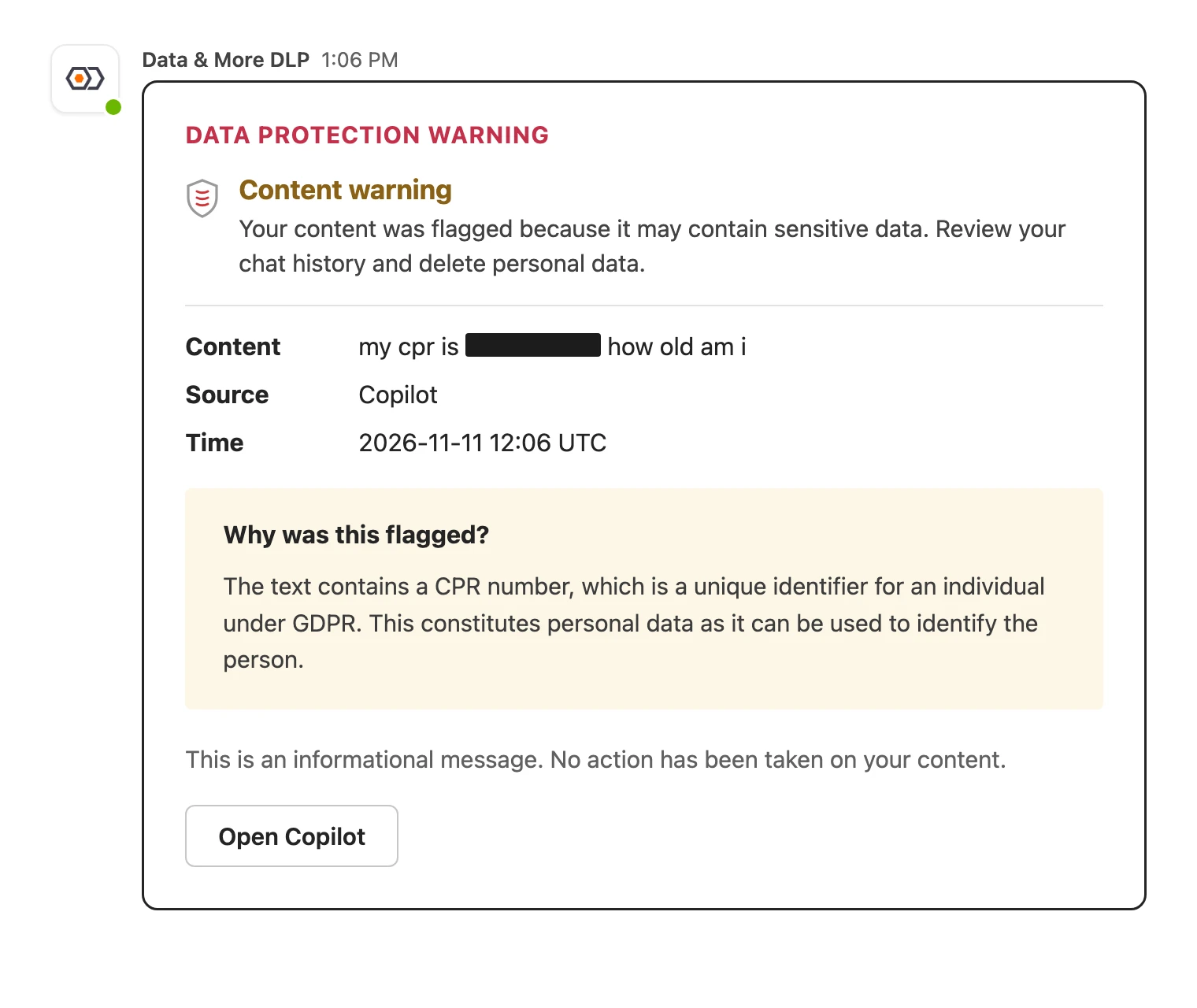
Copilot does not go through a gateway, so it is covered by the separate Copilot source in Context aware DLP, which alerts your organisation after the fact when sensitive data appears in Copilot conversations. It alerts; it does not block.
Who runs the gateway?+
Your IT does. LiteLLM is open source and runs inside your own infrastructure, so prompts flow through systems you control. Data & More provides the guardrail the gateway calls, and our consultants help with the rollout, from the first key to the enforcement switch.
Does it slow the chat down?+
Not in a way anyone notices. A check typically takes well under a tenth of a second, against models that take seconds to answer.
What happens if Data & More is unavailable?+
Chats continue without being checked, and the unchecked turns are counted so you can see the gap afterwards. Work is never stopped by the guardrail being down.
Is our chat text stored?+
No. Data & More stores who, when, which model, which type of data was found and which action was taken. The text of the conversation is classified in the moment and not kept.
Is this the same classification as the rest of the platform?+
Yes. The engine that classifies a chat turn is the one behind your risk assessment and Context aware DLP, with the same document classes and the same policies. One definition of sensitive, everywhere it moves.
See what your people paste into AI
Roll out on Log first and watch a week of real traffic. Enforcement can wait until you trust the results.